
QR code menu: how to create one for your restaurant
A QR code is just a shortcut: it opens a page. So everything depends on that page, your online menu. Here’s how to prepare it, then create, print and place the QR code.
- Five steps, from the menu to the table stand
- The right size, the right place
- Paper and QR code, together
Guide updated on 25 November 2026
- EN
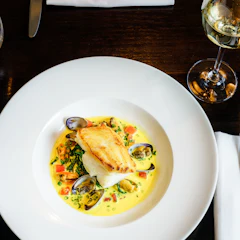
- Cod loin, saffron butter
- IT
- Lombo di merluzzo, burro allo zafferano
- DE
- Kabeljaurücken mit Safranbutter
How a QR code menu works
The customer points their phone camera at the code, and the menu opens in their browser. There is no app to install.
The QR code doesn’t contain your menu: it only contains a web address. As long as that address doesn’t change, you can edit the menu as often as you like without reprinting the code.
That is why the menu should be a real online page, not a file that gets replaced.
Creating your QR code menu, in five steps
From the online menu to the stand on the table.
-
Put your menu online
A text page, easy to read on a phone, with the dishes and prices. Avoid PDFs: people have to zoom, and every change means redoing the file.
-
Create the QR code
It must point to the menu’s web address. Make sure that address won’t change: it is what gets printed.
-
Print it at the right size
Allow at least 2 cm wide for a code scanned from about twenty centimetres away, more for a front window. Black on a white background, with a margin around it.
-
Place it where the customer waits
On the table, on a table stand or on the placemat. In the front window too, for passers-by who are making up their minds.
-
Test it, then keep the menu up to date
Try it with several phones, in evening light. After that, every sold-out dish and every price change is made on the page.
What your online menu should show
The QR code brings the customer to the page. The page does the work.
Clear prices
Each dish with its price, without having to open the details.
The dish of the day and sold-out items
What is no longer available disappears; what is new appears at the top.
Allergens
You must be able to give them to your customers in writing: the online menu is a good place to do it.
Photos
Not for every dish: for the ones that make people hungry.
Several languages
A foreign customer reads the menu in their own language, without waiting for someone to explain it.
A booking link
Someone browsing the menu from home should be able to book right away.
Paper or QR code? Both
The QR code doesn’t replace everything. Keep a few printed menus for those who prefer them.
What the QR code brings
- A menu updated in a few seconds
- No reprinting when a price changes
- Translation for foreign customers
- Photos and allergen details
What paper still covers
- Customers without a phone, or not comfortable with one
- A flat battery, no signal
- The pleasure of holding a menu
- A table where people would rather put screens away
With Restovia: one menu, everywhere
Our team enters your menu and prepares your QR codes during set-up. You place them on your tables.
After that, you manage a single menu from your phone: the one behind the QR code, the one on your website and the one on your Google profile are the same. A sold-out dish is flagged with one tap, and the dish of the day is published in seconds. See Restovia’s digital menu.
Frequently asked questions about QR code menus
Do you need an app to read a QR code?
No. The camera on recent phones reads QR codes: just point it at the code, then tap the link that appears.
Does the QR code change when I edit my menu?
No, as long as the menu’s web address stays the same. You edit the page, and the printed code keeps working.
What size should a QR code on a table be?
At least 2 cm wide for scanning from about twenty centimetres away. Make it larger if it has to be read from a distance, in a front window for example.
Is a QR code menu mandatory?
No. It is a practical choice. Many restaurants offer it alongside the paper menu.
How much does a QR code menu cost?
With Restovia, the digital menu and its QR codes are included in the €79 excl. VAT per month subscription, with menu entry included.
One month to try it, set-up included.
No credit card, no commitment. We set everything up for you.