Skip to content
Free trial

Know where your customers come from

Booking channel, your visitors’ country of origin, occupancy rate, no‑shows: Restovia gives you simple figures, easy to read on a phone.

  • The source of every reservation
  • Occupancy rate and no‑shows
  • No cookies, so no banner
  • Where reservations come from

    Website, Google, Instagram, phone: every reservation shows where it came from.

  • Occupancy and no‑shows

    The occupancy rate of your services, and the number of booked tables left empty.

  • Your visitors’ country

    France, Italy, Germany: you know where the people viewing your menu come from.

  • Your customers have their say

    “How did you hear about us?”: your visitors’ answers, in one chart.

Reservations

Which channel your customers book through

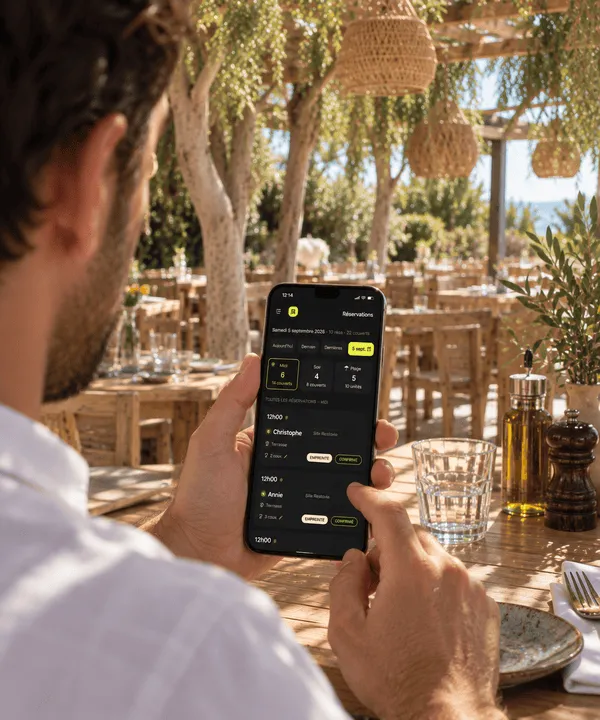
Every reservation is tagged with its channel: your website, Google, Instagram, the phone or an entry by your team. You see it in the reservation book, line by line, and as a percentage over the period.

So you know what your Google listing or your Instagram account brings you, without keeping a spreadsheet.

Your visitors’ country of origin completes the picture: you know which languages to polish your menu for.

See online reservations

Survey

“How did you hear about us?”

A short, optional question is put to visitors of your online menu. Seven possible answers: an online search, social media, a review site, an artificial intelligence, a local advert, a recommendation, or simply walking past.

The answers are shown as a chart, over 7, 30 or 60 days. You see where your customers really come from, including those no tracking tool can follow: word of mouth and your shopfront.

Menu

How many people view your menu

The number of menu views and the number of visitors are shown day by day, over 7, 30 or 60 days. A peak on Friday, a dip on Monday: you see it at a glance.

The measurement is anonymous and sets no cookies. So your website does not need a consent banner.

Occupancy

Occupancy rate, service by service

How many guests for how many seats: the occupancy rate shows which services are overflowing and which can still take more people.

You adjust your opening hours, your time slots and your evenings with full knowledge of the facts.

No-shows

No‑shows, finally counted

Every reservation that is not honoured is counted. You follow how your no‑shows change over time.

That way you measure the effect of reminders and card guarantees. See the tools against no‑shows.

The other figures, at your fingertips

  • Today’s dashboard

    Reservations and guest counts for lunch and dinner, plus beach reservations if you have a beach.

  • Your Google rating

    The average rating, its seven-day trend, the number of unanswered reviews and a trend chart. See Google reviews.

  • Your events

    For each evening: amount collected, registrations, fill rate, sales by price tier and waiting list. See ticketing.

  • Your lists as PDF

    The reservation list for a service and the list of people registered for an event can be exported as PDF, for the front-of-house team.

€79excl. VAT per month1 month free

One subscription, every module.

  • No commission on your reservations
  • Setup and menu entry included free of charge
  • No commitment, no credit card for the trial

Frequently asked questions about statistics

Do I need to install an analytics tool?

No. Statistics are part of Restovia: there is nothing to install or configure.

Does my website need a cookie banner?

No. Restovia’s audience measurement is anonymous and sets no cookies: it does not require a consent banner.

How do I know which channel my customers book through?

Each reservation shows its source in the reservation book: website, Google, Instagram, phone or entered by the team.

How do I know how my customers heard about me?

A short, optional survey is offered to visitors of your online menu. Their answers are shown as a chart over 7, 30 or 60 days.

Can I track my occupancy rate and my no‑shows?

Yes. The occupancy rate of your services and the number of no‑shows appear in your statistics, alongside the source of your reservations and your visitors’ country.

Can I export my lists?

Yes. The reservation list for a service and the list of people registered for an event can be exported as PDF.

One month to try it, setup included.

No credit card and no commitment. We set everything up for you.