Skip to content
Free trial

A digital menu and QR code for your restaurant, updated in two taps

A single digital menu feeds your QR code menu, your website and your Google Business Profile. Change a price or mark a dish as sold out from your phone, and everything follows.

  • Sold-out dishes marked in one tap
  • Menu translated into English, Italian, German and Spanish
  • Photos, allergens and daily specials
  • One menu, three shop windows

    The QR code on your tables, your website and your Google Business Profile all show the same menu. You only enter it once.

  • Updated in seconds

    A price, a description, a sold-out dish: you make the change from your phone, without going through an agency.

  • Understood by visitors from abroad

    Every dish is automatically translated into English, Italian, German and Spanish, allergens included.

  • Nothing to download

    Your customers scan the QR code with their phone camera. The menu opens in their browser.

Day to day

Sold out? One tap, and the dish leaves the menu

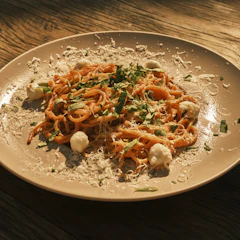
Mid-service, you run out of linguine. You open the dish on your phone and switch it off: it disappears from your customers’ menu.

No need to remember to put it back. Dishes switched off for the day come back automatically the next day.

You can also just say it out loud. The app’s voice assistant understands “the linguine is sold out”, “put the tartare back” or “add a daily special”.
Daily special

Your daily special, published in seconds

You enter the dish, its price and its allergens, then choose the service: lunch, dinner or both. It appears on your menu and your website labelled “daily special”.

If you turn it on, it is also emailed to your subscribed customers, on the days and at the time you have chosen, with a button to book.

See the daily special email

Everything your menu contains

The same structure as your printed menu, plus everything paper cannot do.

  • Categories and subheadings

    Starters, mains, desserts, wines: you create your categories and, within them, subheadings. When a category is long, customers jump from one subheading to the next.

  • Dishes and set menus

    An à la carte dish or a set menu: each has its own name, description, price and photo. You can change the order however you like.

  • Lunch or dinner

    A dish served only at lunch, or only at dinner, is labelled accordingly on the menu.

  • Dish photos

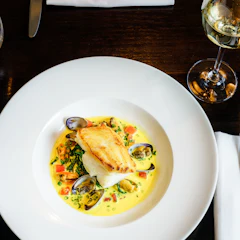
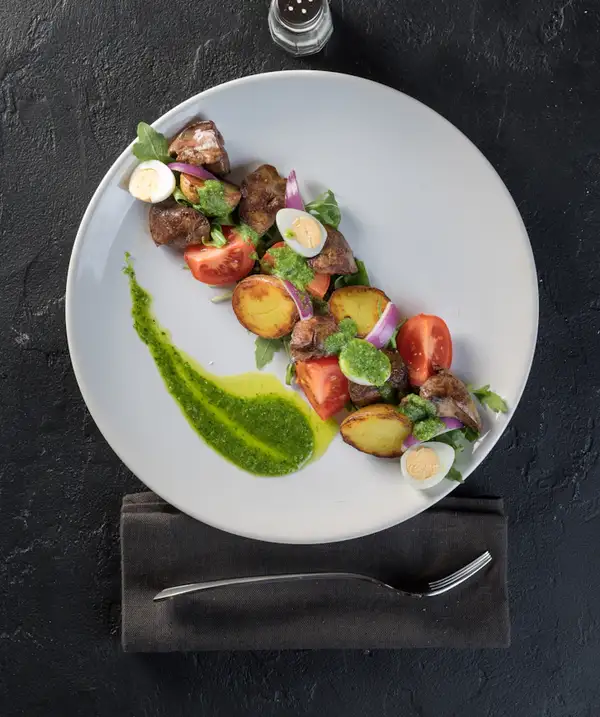
    You add a photo from your phone. It is automatically compressed, shown as a thumbnail, and enlarges when the customer taps it.

  • Allergens

    The 14 regulated allergens are ticked dish by dish. They are shown with their icon and translated like everything else.

  • Featured dishes

    Your signature dishes can be featured on your website’s home page.

Translation

A translated menu that you can correct

Dish names, their descriptions, categories and daily specials are automatically translated into English, Italian, German and Spanish as soon as you save them.

A translation sounds wrong? You correct it by hand, dish by dish.

Your customers have nothing to do: the menu opens in their phone’s language, and they can switch language if they wish.

QR code

A QR code on your tables, never reprinted

Your customers scan the QR code with their phone camera. The menu opens in their browser, in your restaurant’s colours and fonts. No app to install.

We prepare your QR codes during setup. Since the menu is online, you never reprint them when it changes.

The same menu, wherever people look for you

  • On your website

    The menu on your website is the same as your QR code menu: just one place to keep up to date. See the website.

  • On your Google Business Profile

    If you turn on syncing, your dishes, their descriptions and their prices are sent to Google every six hours, with up to fifteen new dish photos each time. See the Google Business Profile.

  • From ChatGPT

    Once your account is connected, you ask ChatGPT to add a dish, change a price or publish the daily special.

  • A review along the way

    Customers who come back to look at your menu are invited to leave a review on your Google Business Profile.

  • A question for your visitors

    A short, optional survey asks them how they heard about you. See the statistics.

  • Menu entry included

    During setup, our team enters your menu for you. You start with a complete menu.

What our restaurants say

  • Very easy to use, much more intuitive and above all very fast to use compared with what we had before! Especially for switching dishes on and off, which seems like a small thing but it is what we do most. Even when we need to change a description or a price in a hurry, everything is quick. Really great so far!

    Livia Joly MarasL’Incantu

€79excl. VAT per month1 month free

One subscription, every module.

  • No commission on your reservations
  • Setup and menu entry included free
  • No commitment, no credit card for the trial

Frequently asked questions about the digital menu

How do I create a QR code menu for my restaurant?

Our team enters your menu and prepares your QR codes during setup. You place them on your tables: your customers scan them with their phone camera and the menu opens. Size, placement, printing: see the QR code menu guide.

Does the digital menu cost extra?

It is included in the Restovia subscription at €79 excl. VAT per month, along with every other module. The first month is free.

Do my customers need to download an app?

No. They scan your QR code with their phone camera and the menu opens in their browser.

How do I mark a dish as sold out mid-service?

You switch the dish off from your phone, or you tell the app’s voice assistant. The dish leaves the menu, then comes back automatically the next day.

How many languages is my menu translated into?

Your menu is automatically translated from French into English, Italian, German and Spanish. You can correct each translation by hand.

Can I add photos of my dishes?

Yes. You add one photo per dish from your phone. It is automatically compressed so the menu stays quick to load.

How do I display allergens?

Dish by dish, you tick the relevant allergens from the 14 regulated allergens. They are shown with their icon, in the customer’s language.

Do I need to reprint my QR codes when the menu changes?

No. The QR code always leads to the same address: it is the online menu that changes.

Is my menu published on Google?

Yes, if you turn on syncing with your Google Business Profile. Your available dishes, their descriptions and their prices are then sent there every six hours.

Who enters my menu to begin with?

Our team. Entering your menu is included free during setup.

One month to try it, setup included.

No credit card and no commitment. We set everything up for you.