
How to create your restaurant website, in seven steps
A restaurant website doesn’t need to be big. It needs to answer four questions quickly: what’s on the menu, at what price, when you’re open, and how to book. Here’s how to build it, step by step.
- What your customers look for
- Seven steps, in order
- Three ways to get it built
Guide updated on 25 November 2026
What a restaurant website is for
First, to be found. When someone types your name, or “restaurant” followed by the name of your town, your website is the answer you control.
Next, to give the right information. A Google profile or an Instagram page doesn’t belong to you: their layout changes without anyone asking your opinion. Your website says exactly what you want, in the order you want.
Finally, to take bookings, with no middleman and no commission.
What a customer looks for on your website
Six pieces of information, easy to find without much scrolling.
The menu and prices
It’s the first thing people look at. Dishes and prices, kept up to date.
Opening hours and closures
Including public holidays and annual closures. Nothing is more annoying than a closed door.
The address and directions
With a link that opens the map on the phone.
The booking button
Visible at the top of the page, not hidden in a menu.
Photos of the venue and the dishes
Your own. Two or three good photos are enough.
A phone number
One you can simply tap to call.
Seven steps to get your website online
In this order, you never have to go back.
-
Choose a domain name
Short, with the restaurant’s name. Add the town if the name is already taken.
-
Gather your photos
The venue, a few dishes, the team. Real photos are better than stock images.
-
Put the menu in text form
A photo of the chalkboard is unreadable on a phone and invisible to Google. A PDF forces people to zoom. Type in the dishes and prices.
-
Show the practical information
Opening hours, address, phone number: exactly the same as on your Google profile.
-
Add online booking
A booking module that checks your availability and confirms straight away.
-
Publish the legal notice
It is mandatory for a business website. Add a privacy policy if you collect contact details.
-
Link the website to your Google profile
Add the website address and the booking link to your profile, then check how it looks on a phone.
Three ways to get your website built
None of them is wrong. The difference lies in how much time you spend on it, and what happens the day your menu changes.
| Do it yourself | Agency or freelancer | Included in your software | |
|---|---|---|---|
| Who builds the website | You, with a website builder | The agency or freelancer | The team behind your booking software |
| Who updates it | You | The agency or freelancer, on request | You, from the app |
| Menu and booking | To be connected by you | To be connected by the agency or freelancer | Already linked to the website |
| What you pay | The tool subscription, and your time | A quote for the build, then maintenance | Nothing beyond the subscription |
With Restovia, the website is included in the €79 excl. VAT per month subscription, with no set-up fee: see the included website.
Common mistakes, and good habits
Most restaurant websites fall short on the same details.
Avoid
- A menu as a PDF or a photo
- Opening hours that differ from Google’s
- A booking button nobody can find
- A website that is unreadable on a phone
- Oversized photos that slow everything down
Do
- A text menu, updated on the same day
- The same information everywhere
- The Book button at the top of the page
- A test on your own phone
- A page that loads fast, even on 4G
See what it looks like
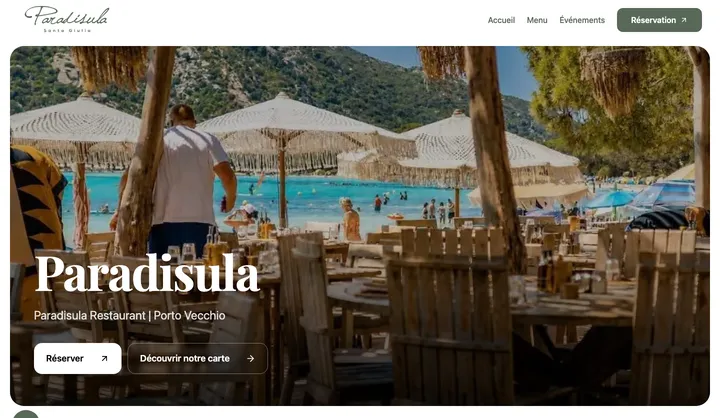
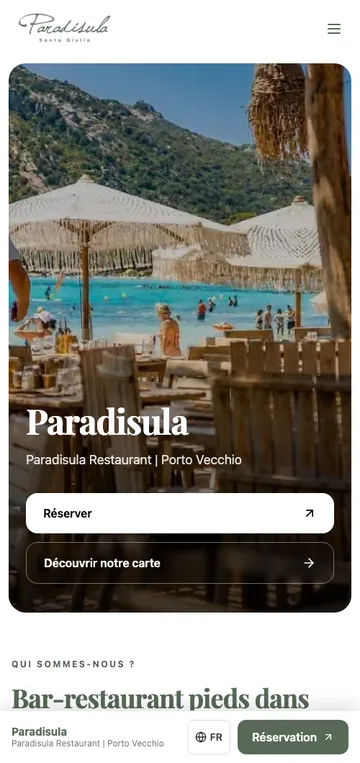
The simplest way is to look at live websites. We have gathered seven examples of restaurant websites, all created with Restovia: the same structure, seven different atmospheres.
If you would rather not build the website and connect the menu and booking yourself, that is what the website included in Restovia does.
Frequently asked questions about restaurant websites
How much does it cost to create a restaurant website?
It depends on how you go about it: a subscription to a tool if you build it yourself, a quote if you use an agency or freelancer. With Restovia, the website is included in the €79 excl. VAT per month subscription, with no set-up fee.
Do I need a website if I already have a Google Business Profile and Instagram?
Yes, for two reasons. Your website is the only place you fully control, and it is where bookings are made with no middleman. Your Google profile and Instagram point to it.
How many pages do you need?
Not many. A clear home page, the menu, practical information, and your events if you hold any. A short, up-to-date website is better than a large, neglected one.
Should you translate your website?
If you welcome tourists, yes: at least the menu. In Restovia, the menu is translated automatically.
How do I get my website to show up on Google?
Keep your Google Business Profile up to date and add your website address to it, keep the same information everywhere, and make sure the website is fast and easy to read on a phone. It then takes a few weeks to rank in search results.
One month to try it, set-up included.
No credit card, no commitment. We set everything up for you.